VS Code Copilot
Set up GitHub Copilot Chat with Hyde Inference.
GitHub Copilot Chat can run on your own models through a Custom Endpoint. BYOK needs no Copilot plan, and agent mode is included.
Setup
1. Add a Custom Endpoint model
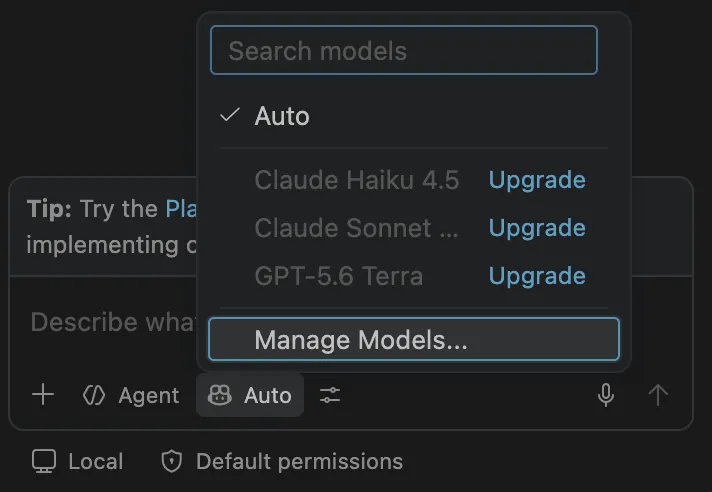
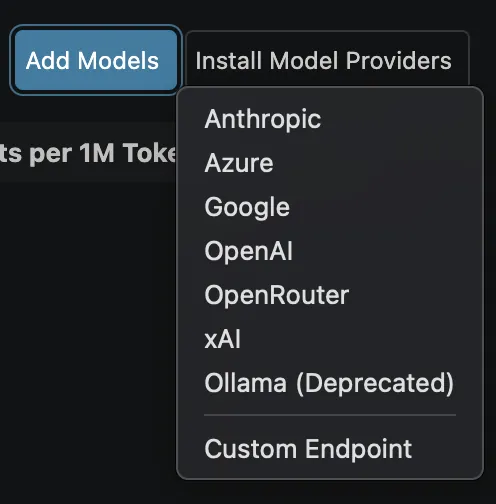
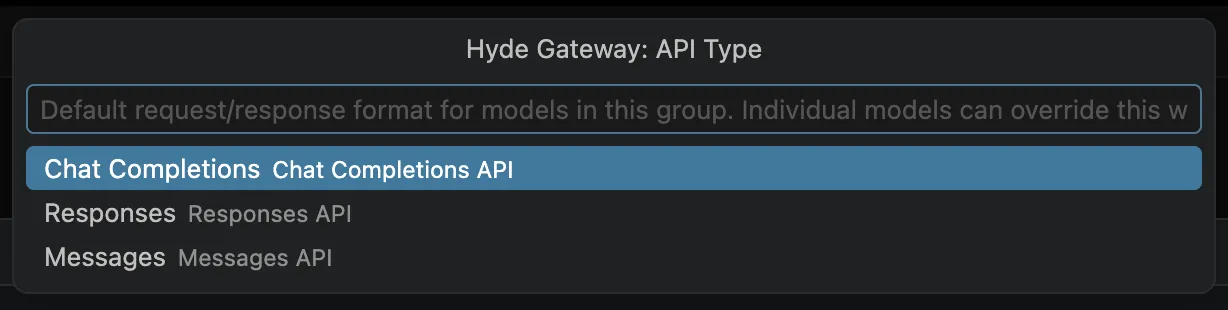
Open the chat model picker and choose Manage Language Models (or run Chat: Manage Language Models from the Command Palette). Click Add Models and choose Custom Endpoint. Set the group name to Hyde Gateway, paste your API key, and set the API type to Chat Completions. VS Code opens chatLanguageModels.json.
Keep the key handy. VS Code stores the pasted key in secret storage. Save a copy somewhere permanent anyway (notes, password manager). You will need it again if you re-run setup or set up another tool.


2. Point it at the gateway
VS Code writes a boilerplate entry with one empty model. Replace the whole file with the JSON below, but keep the "apiKey" value exactly as VS Code wrote it (see the warning).
Don't touch the apiKey line. The apiKey value must stay exactly as VS Code generated it. It looks like "$\{input:chat.lm.secret.38679d20\}", and the ID after secret. is unique to you. Copy it from the boilerplate before you replace the file. If you put your raw sk-… key there instead, auth breaks. The reference is what makes VS Code pull your real key from secret storage.
[
  {
    "name": "Hyde Gateway",
    "vendor": "customendpoint",
    "apiKey": "${input:chat.lm.secret.<your-id>}",
    "apiType": "chat-completions",
    "models": [
      {
        "id": "hyde/glm-5.3-flash",
        "name": "Hyde GLM-5.3 Flash",
        "url": "https://inference.hyde.tech/v1/chat/completions",
        "toolCalling": true,
        "vision": true,
        "contextWindow": 1048576,
        "maxOutputTokens": 131072
      },
      {
        "id": "hyde/kimi-k3",
        "name": "Hyde Kimi-K3",
        "url": "https://inference.hyde.tech/v1/chat/completions",
        "toolCalling": true,
        "vision": true,
        "contextWindow": 1048576,
        "maxOutputTokens": 131072
      },
      {
        "id": "hyde/kimi-k3.1-pro",
        "name": "Hyde Kimi-K3.1-Pro",
        "url": "https://inference.hyde.tech/v1/chat/completions",
        "toolCalling": true,
        "vision": true,
        "contextWindow": 1048576,
        "maxOutputTokens": 131072
      }
    ]
  }
]
3. Verify
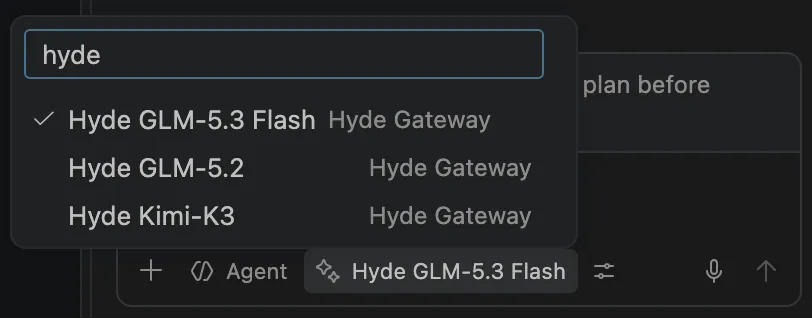
Save the file, open the model picker, and pick any Hyde model. Send a real prompt. It should stream. Agent mode needs toolCalling, which these models declare. If a model doesn't appear, reload the window.
Images in chat: attach as base64-encoded data, not a public URL. Upstream models reject public image URLs.
Models
The picker shows the models declared in chatLanguageModels.json. A new gateway model needs a new entry in the file. Copy an existing block and change id and name. The Models page says what each model is good for.
If it breaks
401 / invalid key
The apiKey line must hold the ${input:chat.lm.secret.…} reference VS Code generated, not a raw sk-… key. Restore the boilerplate value and save again.
Model picker shows 0 models
The per-model url must be the full chat-completions path, https://inference.hyde.tech/v1/chat/completions. An empty url makes requests fail before they're sent. Fix it and reload the window.
Agent mode does nothing
Agent mode needs toolCalling: true, which every Hyde model in the file declares. Check that the selected model is a Hyde one.